See the Course From Above
Bird's eye view of every hole. Live GPS shows your position. Tap anywhere on the map to get distance to any target.
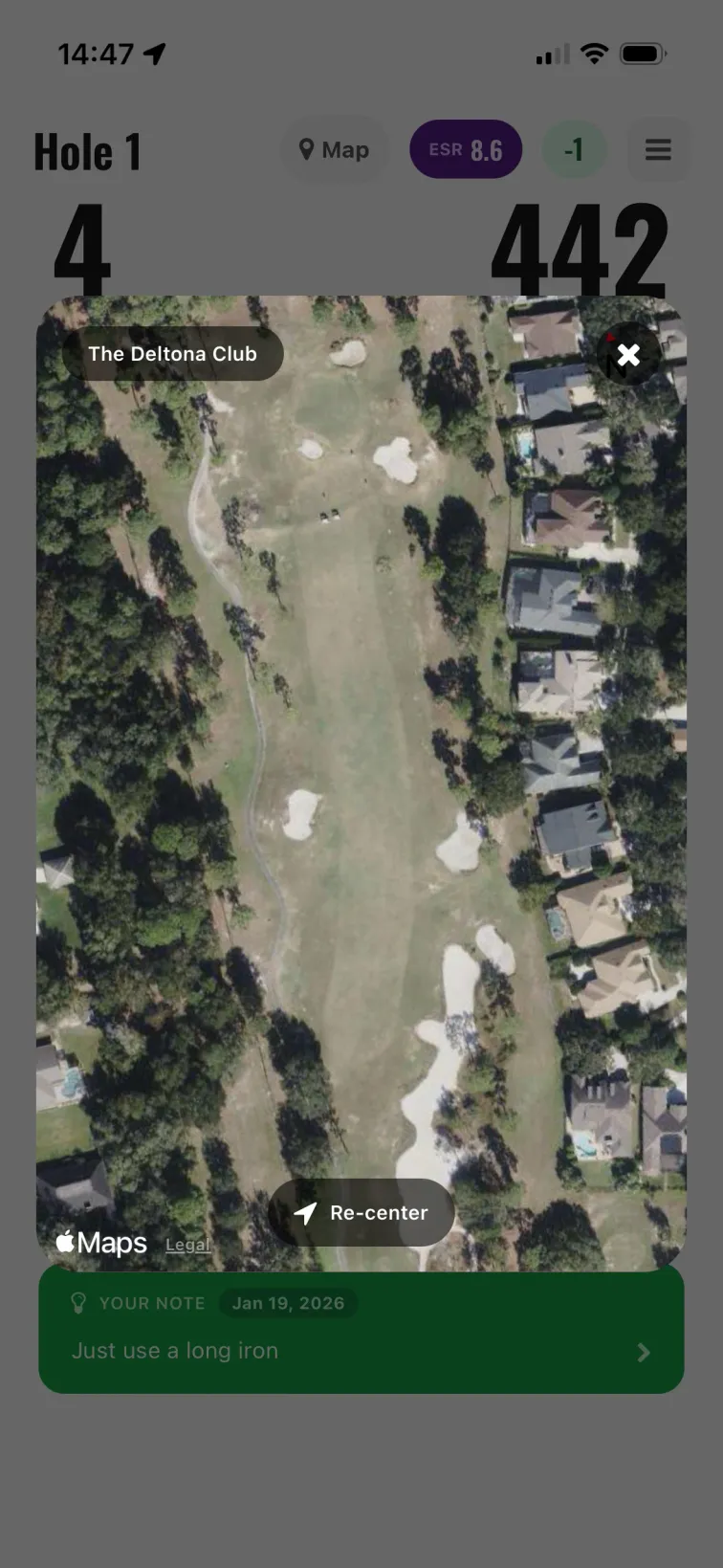
GPS Map Features
Satellite Course View
See the entire hole from above. Get a bird's eye view of fairways, bunkers, water, and greens before you swing.
Live Position Tracking
See exactly where you are on the course. Your position updates in real-time as you move.
Compass Orientation
Know which way you're facing. The compass shows your orientation so you know exactly where you're aiming.
Tap for Yardage
Tap anywhere on the map to see distance from your current position. Target a bunker, layup spot, or the center of the green.
When the Map Helps
Blind Shots
Can't see the green? The map shows you exactly where it is and what's in between.
Unfamiliar Courses
Playing somewhere new? See the full hole layout before you even step up to the tee.
Strategic Layups
Planning to lay up? Tap your target spot to see the exact distance.
Avoiding Hazards
See exactly where water and bunkers are. Know how far you need to carry.
A Note on GPS Features
EveryShot's GPS provides a satellite map view with your live position and tap-for-distance functionality. This is great for seeing the hole layout, checking your orientation, and getting distance to any point you tap.
If you need pre-calculated distances to the green, front, and back with hazard distances displayed at all times, dedicated GPS apps like 18Birdies or Golfshot may be a better fit. EveryShot focuses on shot tracking and multiplayer — the GPS map is a helpful addition, not the main feature.